解析MongoDB中的Excel文件
MongoDB解析Excel
因为某些规定,需求的流程是前端上传文件到MongoDB数据库,获取到文件的MongoID,然后将ID传递给后端;后端获取ID之后读取MongoDB数据库获取文件,再获取文件的字节流,根据字节流创建Excel表格。
依赖
1 | <dependency> |
配置文件
1 | spring.data.mongodb.authentication-database 身份认证数据库名 |
根据ID获取文件
1 | GridFS gridFs = new GridsFS(mongoDbFactory.getDb()); |
通过字节流建立Excel表格
1 | InputStream in = gridFSFile.getInputStream(); |
后面Excel的解析就不再赘述了。
GridFsTemplate说明
GridFsTemplate是MongDB的一种构建模式,桶模式,意思就是吧所有的文档放到一起,没有集合。
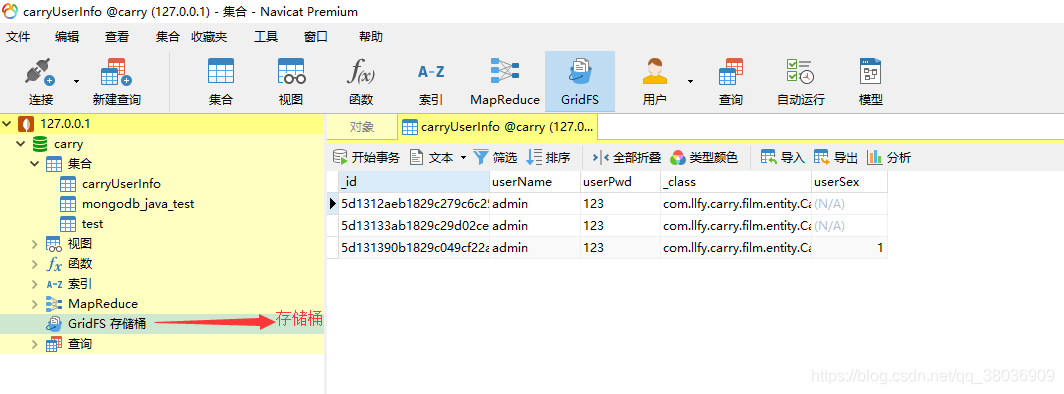
这种模式在处理物联网(IOT)、实时分析或通用时间序列数据时特别有效。通过将数据放在一起,我们可以更容易地将数据组织成特定的组,提高发现历史趋势或提供未来预测的能力,同时还能对存储进行优化。
增删查操作
存储文件
1
2
3
4
5
6
7
8
9
10
11
12
13
14
15
16public String saveFile(MultipartFile file, String fileName) {
DBObject metaData = new BasicDBObject();
metaData.put("createdDate", new Date());
InputStream inputStream = null;
try {
inputStream = file.getInputStream();
// 文件流:inputStream
// fileName:文件的唯一标识id
// file.getContentType():内容类型
// metaData:元数据
gridFsTemplate.store(inputStream, fileName, file.getContentType(), metaData);
} catch (IOException e) {
logger.error("mongDb上传原图错误");
}
return fileName;
}查询文件
1
2
3
4
5
6
7
8
9
10//根据文件的唯一标识检索对应的文件
public GridFSFile getFile(String fileName) throws IOException {
logger.info("Getting file.." + fileName);
GridFSFile result = gridFsTemplate
.findOne(new Query(Criteria.where("filename").is(fileName)));
if (result == null) {
return null;
}
return result;
}下载文件
1
2
3
4
5
6GridFS gridFs = new GridsFS(mongoDbFactory.getDb());
DBObject query = new BasicDBObject("_id",new ObjectId(mongoid));
GridFSDBFile gridFSFile = gridFs.findOne(query);
String filePath = "D:" + File.separator;
File file = new File(filePath);
gridFSFile.writeTo(file);删除文件
1
2
3
4//根据文件的唯一标识删除对应的文件
public void delete(String fileName) {
gridFsTemplate.delete(new Query().addCriteria(Criteria.where("filename").is(fileName)));
}详情请参考GridFsTemplate文档
MongoDbFactory
用于创建DB实例,连接MongoDB数据库。
详情请参考MongoDbFactory